
Automating Your Pinterest Strategy: Save Hours Every Week
The Time Problem Every Etsy Seller Faces
Running an Etsy shop is already a full-time job. Between creating products, photographing them, writing listings, fulfilling orders, and responding to customer messages, your days are packed. Adding Pinterest marketing on top of everything else feels impossible — yet the traffic potential is too significant to ignore.
The math is stark: maintaining an effective Pinterest presence manually requires 5-10 hours per week. That includes creating pin images, writing descriptions, scheduling posts, organizing boards, and analyzing performance. For a solo seller or small team, those hours directly compete with product creation and order fulfillment — the activities that actually generate revenue.
This is exactly why automation exists. By automating the repetitive parts of Pinterest marketing, you can capture the platform's traffic benefits without sacrificing the time you need for your core business.
What Can (and Should) Be Automated
Not every aspect of Pinterest marketing should be automated, but the repetitive tasks are perfect candidates. Here's what makes sense to automate:
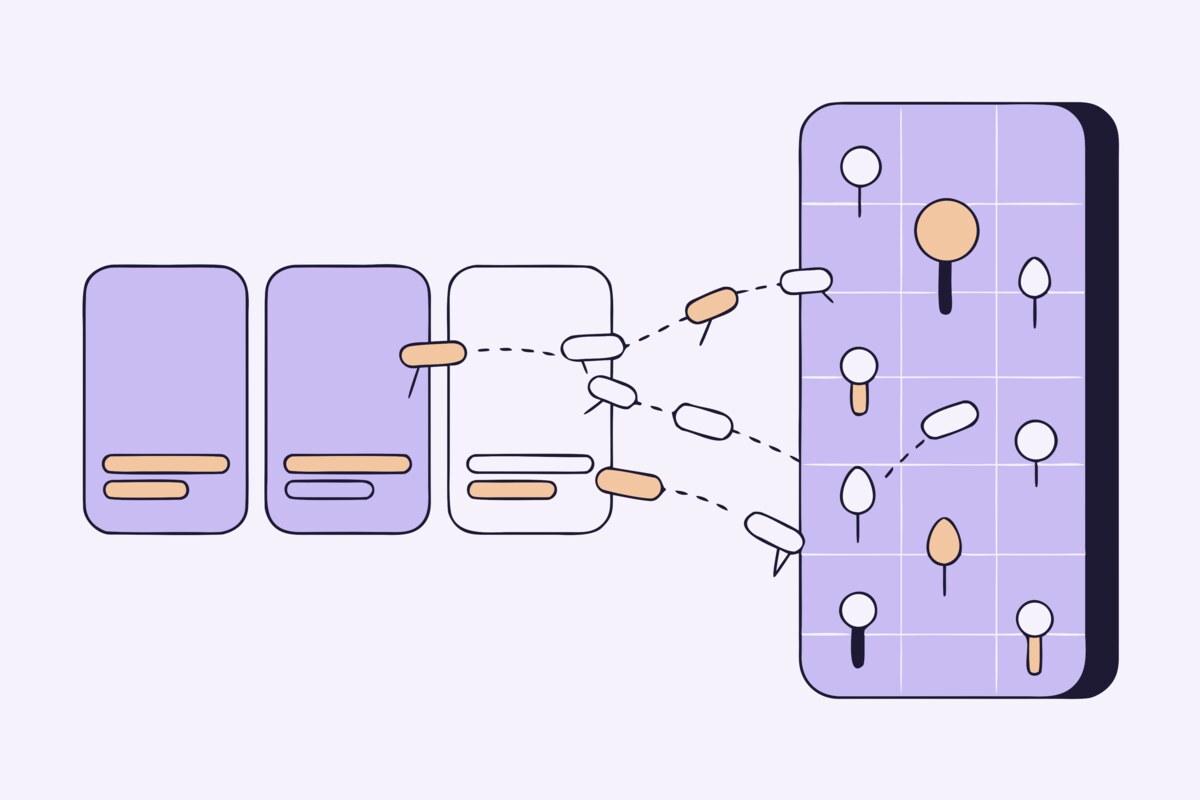
Pin creation from existing listings: If you already have product photos and descriptions on Etsy, there's no reason to manually recreate them as Pinterest pins. Automation tools can pull your listing images and transform them into properly formatted pins automatically.
Pin descriptions: Your Etsy listing titles, descriptions, and tags already contain the keywords that describe your products. Automated tools can generate Pinterest-optimized descriptions from this existing content, saving you from writing descriptions twice.
Board organization: Mapping products to the right Pinterest boards based on their category or Etsy section can be handled automatically. When a new listing is added to your "Ceramic Mugs" section on Etsy, it should automatically land on your "Handmade Ceramic Mugs" Pinterest board.
Scheduling and consistency: Pinterest rewards consistent pinning over sporadic bursts. Automation ensures your pins go out on a regular schedule even when you're busy with a craft fair, holiday rush, or simply taking a well-deserved day off.
What Should Remain Manual
While automation handles the heavy lifting, some aspects of Pinterest benefit from a human touch. Seasonal campaigns and promotional content are best crafted manually because they require timely, context-aware messaging. Community engagement — repinning content from others in your niche, responding to comments, and joining group boards — adds authenticity that automation can't replicate.
Your pin aesthetic is another area where human judgment matters. While automation can create pins from your existing photos, you may want to create special lifestyle shots or styled images for your top-performing products. These high-effort pins often outperform automated ones and deserve the extra attention.
Setting Up Your Automated Pinterest Pipeline
An effective automated Pinterest workflow follows these steps:
Step 1: Connect your accounts. Link your Etsy shop and Pinterest business account through an automation tool. This creates the bridge that allows your listing data to flow to Pinterest.
Step 2: Map your sections to boards. Define which Etsy sections correspond to which Pinterest boards. A well-organized mapping ensures every pin lands in the most relevant board where it'll be discovered by the right audience.
Step 3: Configure your pin settings. Set your preferences for pin descriptions, image selection, and scheduling frequency. Most tools let you customize the template for descriptions so they match your brand voice.
Step 4: Activate and monitor. Turn on the automation and let it run. Check your Pinterest Analytics weekly to see which pins perform best and adjust your settings accordingly.
Measuring the Impact of Automation
The real test of any automation tool is whether it delivers results. Track these metrics before and after implementing automation:
Total impressions: Your pins should be reaching more people because you're pinning more consistently and covering more of your product catalog.
Outbound clicks: This is the metric that matters most — how many Pinterest users are clicking through to your Etsy listings. A good automation setup should steadily increase this number over weeks and months.
Time saved: Track how many hours per week you're reclaiming from manual Pinterest tasks. Most sellers report saving 4-8 hours per week after setting up automation.
Revenue from Pinterest traffic: Use your Etsy shop stats to identify sales that originated from Pinterest. As your pin library grows, this revenue source should increase without requiring proportionally more time investment.
ShopBoostly's Automated Sync
ShopBoostly was built specifically for the Etsy-to-Pinterest workflow. It automatically syncs your entire Etsy catalog to Pinterest, creating optimized pins with keyword-rich descriptions and mapping them to the right boards based on your Etsy sections. When you add, update, or deactivate a listing on Etsy, the changes are reflected on Pinterest automatically. The result is a hands-free Pinterest presence that grows alongside your Etsy shop — no manual pinning required.
Related Articles
Why Every Etsy Seller Needs Pinterest: The Ultimate Traffic Source
Discover why Pinterest is the most underutilized traffic source for Etsy sellers and how to leverage it.
How to Create Pinterest Pins That Drive Traffic to Your Etsy Shop
Learn how to design and optimize Pinterest pins that attract clicks and convert browsers into buyers.
Pinterest SEO for Etsy Sellers: A Complete Guide
Master Pinterest's search algorithm with keyword strategies, board optimization, and pin descriptions that get your products discovered.
Ready to boost your Etsy shop?
Try ShopBoostly and start optimizing your listings today.
Join early access