
How to Map Your Etsy Sections to Pinterest Boards for Maximum Reach
The Connection Between Organization and Discovery
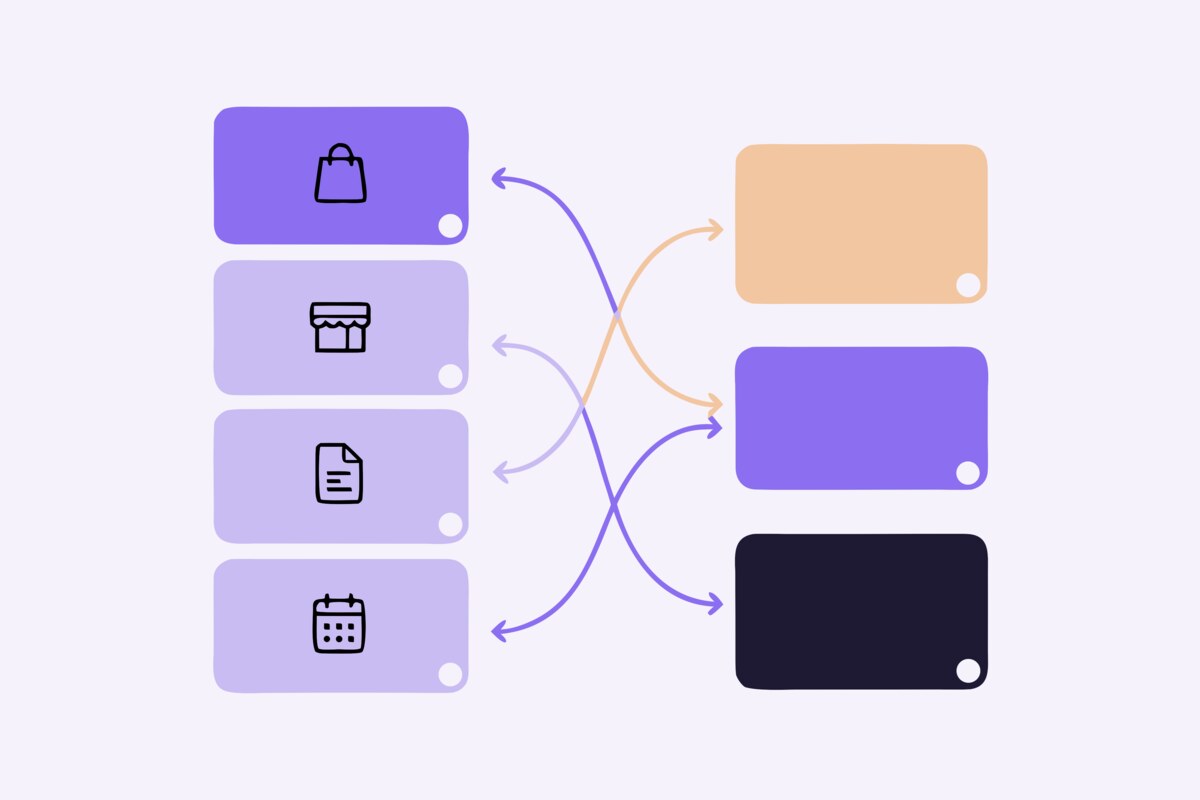
If your Etsy shop has well-organized sections, you're already halfway to a great Pinterest strategy. Etsy sections group your products by category, style, or theme — and Pinterest boards serve exactly the same purpose. By creating a deliberate mapping between the two, you ensure that every product in your Etsy shop has a logical, discoverable home on Pinterest.
This isn't just about tidiness. Pinterest's algorithm uses board context to understand what each pin is about. A ceramic mug pinned to a "Handmade Coffee Mugs" board sends a stronger signal than the same mug pinned to a generic "Products" board. The algorithm uses this context to decide which searches your pin is relevant for and who to show it to.
Auditing Your Etsy Sections
Before creating your Pinterest mapping, take a fresh look at your Etsy sections. Are they organized in a way that makes sense to buyers? Do the section names describe the products clearly? A well-structured Etsy shop translates directly into a well-structured Pinterest profile.
Common Etsy section patterns that work well for Pinterest mapping:
By product type: "Necklaces," "Earrings," "Bracelets" — each becomes a dedicated Pinterest board. This is the most straightforward approach and works well for shops with distinct product categories.
By occasion or recipient: "Gifts for Her," "Wedding Jewelry," "Birthday Gifts" — these map to Pinterest boards that align with how buyers search. Pinterest users frequently search by occasion, making this structure particularly effective.
By style or collection: "Minimalist Collection," "Boho Style," "Vintage Inspired" — style-based boards attract followers who share your aesthetic and are likely to browse multiple products.
If your Etsy sections are disorganized or too broad ("Jewelry" with 200 listings), consider restructuring them before creating your Pinterest mapping. Both platforms benefit from specific, well-defined categories.
Creating Your Board Structure
For each Etsy section, create a corresponding Pinterest board with a keyword-optimized name. Your Etsy section names might be concise ("Mugs"), but your Pinterest board names should be descriptive and searchable ("Handmade Ceramic Coffee Mugs | Artisan Pottery").
Here's an example mapping for a jewelry shop:
Etsy Section → Pinterest Board:
• Gold Necklaces → "Dainty Gold Necklaces | Minimalist Jewelry for Women"
• Silver Earrings → "Handmade Sterling Silver Earrings | Artisan Jewelry"
• Bridal → "Wedding Jewelry | Bridal Necklaces and Earrings"
• Gift Sets → "Jewelry Gift Sets | Gift Ideas for Her"
Notice how each board name includes primary keywords that buyers search for. The vertical bar (|) is a common technique to include multiple keyword phrases in a board name without it looking spammy.
Beyond One-to-One Mapping
While a direct section-to-board mapping is the foundation, you can expand your Pinterest reach by creating additional boards that cross-cut your product categories. These supplementary boards target different search behaviors and attract broader audiences.
Occasion boards: "Valentine's Day Gift Ideas," "Christmas Stocking Stuffers," "Mother's Day Presents" — pin products from multiple Etsy sections that fit each occasion. These boards capture seasonal search traffic that category-specific boards might miss.
Price point boards: "Handmade Gifts Under $25," "Affordable Jewelry Finds" — budget-conscious buyers search by price, and these boards serve their needs directly.
Curated style boards: "Minimalist Home Decor Ideas," "Boho Wedding Inspiration" — mix your products with relevant lifestyle content (not competitors' products) to create aspirational boards that attract followers interested in your aesthetic.
The same product can and should appear on multiple boards. Your gold leaf necklace belongs on "Gold Necklaces," "Gift Ideas for Her," "Minimalist Jewelry," and "Valentine's Day Gifts." Each board placement creates a new discovery path.
Board Descriptions and Cover Images
Every board needs a detailed description rich with relevant keywords. Write 2-3 sentences that describe the board's contents and include the search terms your target buyers use. This is prime SEO real estate that many sellers leave blank.
Choose a cover image that visually represents the board's best content. A cohesive, attractive board cover encourages profile visitors to click into the board and browse your pins. Update covers seasonally or when you add new standout products.
Maintaining Your Mapping Over Time
Your section-to-board mapping isn't a one-time setup — it needs maintenance as your shop evolves. When you add a new Etsy section, create a corresponding Pinterest board. When you discontinue a product line, archive (don't delete) the Pinterest board to preserve any SEO authority it has accumulated.
Periodically review your boards' performance in Pinterest Analytics. If a board consistently underperforms, consider whether the name and description need optimization, whether the products need better pin images, or whether the category is too niche for Pinterest's audience.
Automating the Mapping Process
Manually maintaining a section-to-board mapping becomes increasingly tedious as your shop grows. Every time you add a new Etsy listing, you need to remember which Pinterest board it belongs on and manually create the pin. ShopBoostly eliminates this overhead by automatically mapping your Etsy sections to Pinterest boards and syncing new listings to the correct boards as they're added. You set up the mapping once, and every future listing is automatically pinned to the right place — keeping your Pinterest presence organized and comprehensive without ongoing manual effort.
Related Articles
Why Every Etsy Seller Needs Pinterest: The Ultimate Traffic Source
Discover why Pinterest is the most underutilized traffic source for Etsy sellers and how to leverage it.
How to Create Pinterest Pins That Drive Traffic to Your Etsy Shop
Learn how to design and optimize Pinterest pins that attract clicks and convert browsers into buyers.
Automating Your Pinterest Strategy: Save Hours Every Week
Learn how to automate your Pinterest marketing workflow so you can focus on creating products instead of managing social media.
Ready to boost your Etsy shop?
Try ShopBoostly and start optimizing your listings today.
Join early access